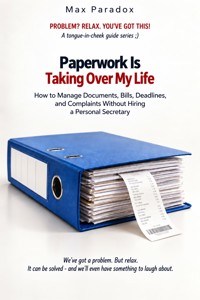
Paperwork Is Taking Over My Life - How to Manage Documents, Bills, Deadlines, and Complaints Without Hiring a Personal Secretary ebook
Max Paradox
29,99 zł
19,90 zł
Najniższa cena z 30 dni przed obniżką: 29,99 zł
19,90 zł
Najniższa cena z 30 dni przed obniżką: 29,99 zł
Dowiedz się więcej.
- Wydawca: ALL-IN Rafał Płonkowski
- Kategoria: Biznes, rozwój, prawo•Biznes, rozwój
- Język: angielski
Paperwork Is Taking Over My Life is a practical, empathetic guide for readers who want useful answers without judgment, perfectionism, or a second full-time job devoted to self-improvement. Max Paradox turns a frustrating real-life problem into manageable decisions and repeatable routines. The book does not promise an instant transformation. It shows how to understand what is actually going wrong, choose a realistic minimum, communicate clearly, and build a system that still works on a busy or difficult week.
This guide helps you manage documents, bills, deadlines, and complaints without hiring a personal secretary. It covers official letters, warranties, receipts, important personal documents, email, weekly maintenance, shared responsibilities, and life changes that suddenly create a flood of paperwork. Each topic is approached through concrete examples, sensible boundaries, and small actions that can be tested immediately.
The goal is not to control every detail, but to make the next decision easier and more reliable. Written in a warm, direct, lightly humorous style, this is a guide for people who value practical progress over motivational slogans. It replaces pressure to be perfect with a system you can actually use.
This publication was prepared with the use of tools supporting the creative process, including solutions based on artificial intelligence. The final concept, structure, and editing belong to the author.
Ebooka przeczytasz w aplikacjach Legimi lub dowolnej aplikacji obsługującej format:
Liczba stron: 254
Rok wydania: 2026
Podobne



















Max Paradox
Paperwork Is Taking Over My Life
How to Manage Documents, Bills, Deadlines, and Complaints Without Hiring a Personal Secretary
ALL-IN Rafał Płonkowski
2026
ISBN 9788384832813
INTRO
Paperwork has a remarkable ability to reproduce without human assistance. On Monday, there is one bill on the table. By Wednesday, it has been joined by a letter from the bank. On Friday, an instruction manual appears for an appliance you barely remember buying. By Sunday, you discover an official-looking envelope underneath a newspaper from three weeks ago.
Then there is digital paperwork, which is essentially the same problem with better camouflage.
It does not take up space on the kitchen table, so it is even easier to forget. You have PDF invoices in your email, contracts somewhere on your laptop, screenshots of receipts in your phone gallery, policies hidden inside customer apps, and perhaps three different services promising to make your life more organized.
Naturally, one of them requires a password you no longer remember.
The problem is usually not that you are uniquely disorganized. Modern personal administration is simply scattered across too many places, deadlines, platforms, accounts, and communication channels. Your electricity bill arrives by email. Your insurance policy lives in an app. A warranty is attached to an order confirmation from eighteen months ago. The building manager sends paper letters. Your bank has secure messages. A retailer insists that everything is available in your online account, provided you remember which email address you used when you bought the washing machine.
Each individual item looks harmless.
Together, they form a small private administration department where you are simultaneously the customer, filing clerk, accountant, receptionist, collections department, complaints specialist, and person responsible for the coffee machine.
This book will not try to turn you into someone who spends Saturday evenings joyfully alphabetizing utility bills. That would be suspicious.
The goal is much more practical: to create a system in which documents require as little of your time, attention, and memory as possible. A good personal administration system should not become a hobby. It should work more like a refrigerator. You use it regularly, it quietly does its job, and you do not build your personality around it.
One of the biggest mistakes people make when trying to organize paperwork is starting with an ambitious project called, "From now on, everything will be perfect." You buy folders. Labels. Plastic sleeves. A document scanner. A cloud subscription. Perhaps color-coded dividers, because desperation can make otherwise reasonable people do remarkable things.
For about ten days, the system looks magnificent. Then real life returns.
A letter arrives when you are rushing out of the house. A bill is downloaded to your phone instead of the computer. You leave a receipt on the kitchen counter because you will "sort it later." A new category appears that does not fit the original structure. Soon there is a pile called "to deal with later," which is the administrative equivalent of a waiting room with no doctor.
That is why the system in this book is designed not only for organized days, but also for tired days, busy days, bad weeks, holidays, illnesses, and those evenings when moving a PDF into a correctly named folder feels like an unreasonable demand from society.
The first principle is simple: every document needs an obvious destination. Not five possible destinations depending on the type of document, its date, its legal importance, the color of the paper, and the phase of the moon. One place for new things.
One place for things that require action. A small number of categories for things that are finished. If receiving a document forces you to stand in the hallway for sixty seconds wondering where it belongs, the system is too complicated.
Personal administration has to work when you are tired, carrying shopping bags, answering a message, and being asked where the charger is. The second principle is equally important: separate storage from action. A bill you still need to pay is not an archived document.
A complaint waiting for a retailer's response should not disappear into a beautifully organized folder called "Purchases 2026," because two months later you may find it in perfect order and completely outside the useful deadline.
Anything that still requires something from you, or from somebody else, needs to remain visible. Only when the matter is genuinely finished should the paperwork retire peacefully into the archive. The third principle is this: your calendar remembers better than you do.
If an insurance policy expires in three months, a contract has to be cancelled six weeks before renewal, or a retailer promised to respond to your complaint within a certain period, do not rely on memory. Memory is excellent at storing the chorus of a song you have not heard since 1998. It can also produce a detailed replay of an embarrassing conversation from fifteen years ago at 1:17 in the morning.
Deadlines, however, seem to be treated as optional content. Anything that can cost you money, rights, time, or unnecessary correspondence if forgotten should leave the document and enter your calendar. That is not obsessive organization.
It is outsourcing memory. We will deal with both paper and digital documents because, in practice, the distinction is becoming increasingly artificial. You may sign a contract on paper, receive confirmation by email, get an amendment inside an app, and submit a complaint through a website. A single matter can exist across four formats before breakfast.
So instead of building separate worlds for "paper" and "digital," we will build one way of thinking. Every matter should be easy to locate regardless of whether its evidence is sitting in a drawer, stored on a computer, attached to an email, or hiding behind a password-protected customer portal. We will also avoid the temptation to digitize absolutely everything.
Scanning your entire life sounds efficient until you spend a Sunday photographing the instruction manual for a toaster you bought nine years ago. Good organization does not mean storing more efficiently. It often means storing less.
You will learn to distinguish genuinely important documents from material that merely looks official. You will know when an original is worth keeping, when a scan is enough for your own records, when a receipt deserves a photograph, and when a piece of paper has completed its purpose and may leave your life without a retirement ceremony.
Bills and payments will get special attention because small administrative mistakes become real financial costs very quickly. One forgotten invoice can lead to fees, reminders, service restrictions, or a chain of correspondence that takes more time than the original payment ever would have.
At the same time, manually remembering every recurring payment is unnecessary if many of them can be automated or grouped into one regular routine. The aim is not to spend more time on bills. The aim is to stop bills spending so much time in your head.
Complaints, returns, and disputes deserve their own system too.
People often give up on valid complaints not because they are wrong, but because the process becomes exhausting. They cannot find the receipt. They do not remember when they first contacted the company. They have three ticket numbers. One consultant said something on the phone, another person said the opposite in an email, and somewhere in the middle the customer begins to wonder whether keeping the broken appliance might actually be emotionally cheaper.
A good complaint is mostly a well-documented sequence of events. Purchase date. Problem.
Evidence. Reference number. Messages.
Deadlines. Expected outcome. That is usually more effective than four pages explaining how deeply the faulty vacuum cleaner has affected your trust in modern commerce.
The same practical approach will apply to official letters, guarantees, tax documents, loans, family administration, changes of address, important personal records, backups, subscriptions, and contracts that renew themselves with the enthusiasm of a species determined to survive.
Each chapter will focus on concrete actions, not theoretical admiration of organization. You will get examples. You will get a Minimum Version for days when you do not have the time or energy to build the complete system.
And you will get a Plan B for situations where the mess already exists. Plan B matters because administration has an extraordinary talent for breaking even carefully designed procedures. A document will disappear.
A file will be deleted. A deadline will be missed. A store will fail to respond.
A company will insist that it never received the form you very clearly remember sending. An institution will ask for a piece of paper that you are almost certain has never existed, while speaking with the calm confidence of someone who believes you personally framed it and hung it in your hallway. We are not going to pretend these things can be eliminated completely.
Instead, we will build recovery methods. The most important change, however, will not concern folders, scanners, apps, or filing cabinets. It is the shift from: "I have to remember everything" to: "My system has to tell me what needs attention."
That difference is enormous.
When you know that deadlines are recorded, active matters are visible, key documents have a home, and things waiting for somebody else's response have a follow-up date, you stop performing background mental checks all day.
Did I pay that? Was I supposed to send something? When does that insurance finish?
Did the store ever reply? Where is that guarantee? Personal administration stops living in your head.
You do not need to become a master archivist by the end of this book. You only need to be able to find a policy, invoice, contract, guarantee, or complaint history within a few minutes. Bills should be paid on time.
Expiring agreements should not surprise you. Important papers should not disappear into the mysterious black hole located somewhere between the kitchen drawer, the email inbox, and the Downloads folder. If, as a side effect, you finally throw away the instructions for a kettle you have not owned since 2017, we will consider that an advanced achievement.
Paperwork will probably never disappear completely. But it can stop feeling like a permanent background problem. With a few locations, a few rules, and a little automation, something that currently occupies half your mental living room can become a short routine you perform occasionally.
No personal secretary required. No perfect memory required. And absolutely no need for seventeen matching folders in a shade called Administrative Beige.
We have a problem. But relax. We can handle it.
And there will definitely be something to laugh about.
Chapter 1 - One System Instead of Fifteen Places Where That Document Might Be
The biggest problem with paperwork is not usually the number of documents you have. It is the number of places where they might be.
Some papers are in a kitchen drawer. Others are in a filing cabinet. A few important contracts are in a wardrobe. Bills arrive at three email addresses. Guarantees live in retailer apps. A photograph of a receipt for the coffee machine is somewhere between a sunset, a screenshot of a pasta recipe, and twelve accidental photographs of the inside of your pocket.
Then one day you need one specific document and discover that your filing system has been designed according to the principles of an escape room. So the first step is not buying better folders. It is deciding where documents are supposed to go.
You do not need literally one physical location for everything because some material will naturally remain on paper while other records will be digital. What you need is one logical system. If a document relating to your car could realistically be in six different places, you have created six opportunities to become irritated.
A simple working model has three basic zones: INBOX TO DO ARCHIVE That is enough to begin. A document enters your life and goes to INBOX. You decide whether it needs action.
If it does, it moves to TO DO. When the matter is finished, it goes to ARCHIVE or the bin. Almost your entire domestic administration can be built around those three movements.
The physical inbox
For paper, INBOX can be a tray, folder, box, or single drawer.
Do not try to classify every document perfectly the moment it arrives. If you have time, excellent. If not, the most important thing is that new papers do not land randomly on the dining table, fridge, bedside cabinet, printer, hallway shelf, and one mysterious pile on top of a cupboard.
One entry point changes everything. When you perform your weekly review, you no longer have to walk around the house collecting paperwork like an archaeologist gathering fragments of a lost civilization. Everyone in the household should know where that place is.
If somebody collects the post, receives a school letter, brings home a receipt, or signs for a document, it goes there. Not "somewhere you will see it." There.
The location should also match actual behavior. If all post naturally enters the house through the kitchen, putting the INBOX tray upstairs in a home office because it looks more professional is a poor design decision. Put the system where life happens.
The digital inbox
You need the same concept digitally. Create a folder called something obvious such as: 00 - INBOX or: TO SORT The "00" simply keeps it near the top of an alphabetical list. Whenever you download an agreement, invoice, insurance document, receipt, form, or confirmation that you do not have time to classify immediately, put it there.
This is much better than allowing your browser to create a collection of files called: document.pdf document(1).pdf document(2).pdf final.pdf final2.pdf final_really_final.pdf At the moment of download, you know exactly what each file is. Six months later, your computer knows absolutely nothing and is not embarrassed about it.
Your digital inbox gives temporary files one predictable waiting room. The important word is temporary. It is not the place where documents go to spend the rest of their natural lives.
TO DO is more important than ARCHIVE
Most people who decide to organize paperwork become fascinated with the archive. They buy dividers. They create categories.
They design folder structures. Meanwhile, the genuinely dangerous documents are not the old ones. They are the active ones.
A bill waiting to be paid. A form waiting to be submitted. A complaint waiting for additional evidence.
A policy that needs renewal. A contract approaching its cancellation deadline. An official letter that expects a reply.
These documents should not disappear into storage. They should remain visible enough to be slightly annoying until the action is finished. For paper, one folder marked TO DO is often enough.
If you have many active matters, divide it into no more than a few simple sections: URGENT THIS WEEK Do not create fifteen subcategories unless you genuinely need them. A system with too many categories creates a new decision every time something arrives. Should the letter go under Finance, Utilities, Contracts, Household, Payments, or Internet?
By the time you decide, you could have paid the bill. Administration should reduce decisions, not manufacture them.
The digital TO DO folder
The digital version works in the same way. Create something such as: 01 - TO DO Active files stay there until the matter is finished. But the folder alone is not enough if there is a deadline.
A document tells you what the matter is about. Your calendar tells you when you need to act. Do not try to combine both functions by saying, "I'll check the folder occasionally."
That system works approximately as well as a fire alarm based on remembering to inspect the kitchen for flames from time to time. If something has a date, put the date in the calendar. If something is waiting for another person, put a follow-up date in the calendar.
That is the point at which your filing system starts carrying part of the mental load.
Keep the archive broad
Only after the active matters are under control should you worry about the ARCHIVE. And even here, keep categories broad. For many households, the following would already be enough: HOME FINANCES CAR HEALTH WORK TAX PURCHASES AND WARRANTIES OTHER If you do not have a car, remove CAR.
If you own rental property, run a business, or manage several vehicles, add categories that reflect your actual life. Do not build an archive for an imaginary future version of yourself who owns three companies, a holiday home, and a yacht. An empty YACHT folder is not a sign of organizational maturity.
It is just optimistic filing. The best category structure matches the way you naturally search. Ask yourself: Where would I look first?
If you needed the invoice for a boiler repair, would you look under HOME? Then put it there. Do not store it under FINANCES because accounting logic says an invoice is financial.
You are not building a national archive. You are building a retrieval system for Future You, who may be tired, irritated, and searching for something five minutes before making a phone call. Natural logic beats theoretical perfection.
Avoid categories that create hesitation
A good test is whether you know where something belongs immediately. Imagine a bill for a major car repair. Could it belong under CAR?
FINANCES? WARRANTIES? SERVICE?
EXPENSES? If every document creates this type of debate, your folder structure is too detailed. Choose the category you would search first.
The goal is not to place every document in the objectively perfect location. There is no objectively perfect location. The goal is to place it where you will actually look.
Physical archives can be boring
For paper, one or two large binders with dividers may be completely sufficient. You do not need separate furniture for every category. Place the newest documents at the front if that feels natural.
Or sort by year. Consistency matters more than the exact rule. A paper archive that takes thirty seconds to understand is better than a beautifully indexed system that requires remembering your own classification philosophy.
Do not keep paper only because it looks official. An envelope is usually not important. A promotional leaflet included with a policy is usually not important.
A second copy of a bill may not be important. The document that proves something, sets out a right, records an obligation, or may be needed later is the thing that matters. Ask: In what real situation would I need this?
If your only answer is "maybe someday," you may be archiving anxiety rather than information.
Use the same logic on paper and digitally
Your digital folders should roughly mirror your physical categories. If you have a CAR section in the paper binder, use CAR digitally. If you have HOME, use HOME.
Do not make yourself learn two completely different filing systems depending on whether the document contains cellulose. The format changes. The logic should not.
This becomes especially useful when one matter exists in both worlds. You may have a paper contract but digital invoices. A physical policy but email correspondence about a claim.
A paper receipt and photographs of a faulty product. When the category names match, you always know where to begin.
Naming files properly
File names should tell you what a document is without requiring you to open it. A simple format works extremely well: date + company or institution + short description For example: 2026-09-08_AcornInsurance_home-policy.pdf 2026-08-17_IKEA_table-complaint.pdf 2026-09_EnergyCo_electricity-bill.pdf Writing the date as year-month-day also means files sort naturally in chronological order.
You do not need the day when it is irrelevant. For recurring monthly documents, year and month may be enough. Avoid unnecessary complexity.
You do not need a sophisticated document numbering system unless your domestic paperwork has reached the operational scale of a shipping company. Names such as: scan001.pdf invoice.pdf newdocument.pdf final2.pdf may seem sufficient today. They will not be sufficient eight months from now when you have nineteen files called invoice.
Twenty seconds spent naming a file can save twenty minutes of searching later.
Do not reorganize your entire past
One of the most dangerous forms of productive procrastination is deciding that every document from the last ten years must be renamed before your new system can begin. Three hours later, you are staring at an internet bill from 2019 and wondering whether its file name should use the invoice date or payment date.
Meanwhile, today's documents are forming a new pile. Do not do this. Apply the new rules from today.
Older archives can remain imperfect. When you need an old document, move it into the new system. When you have spare time, improve one old folder.
The system does not need a clean historical beginning. It needs a clean current beginning.
A simple example
You receive a home insurance policy by post. It goes into INBOX. During your weekly review, you check whether anything needs action.
If it has been paid and the policy is active, record the renewal date in your calendar. Scan the important pages if you want a digital backup. Then move the paper policy to HOME or INSURANCE.
Done. Another example. You buy a washing machine and receive the invoice by email.
Save the PDF into your digital INBOX. During the weekly review, rename it: 2026-09-08_Retailer_washing-machine-invoice.pdf Move it to PURCHASES AND WARRANTIES. If the manufacturer offers extra warranty coverage but registration must be completed within thirty days, the document stays temporarily in TO DO and the registration deadline goes into the calendar.
Once registration is finished, the matter moves to the archive. The storage system follows the status of the matter.
Complaints should remain complete
Suppose you complain about a pair of shoes. The receipt, photographs, complaint form, tracking confirmation, retailer response, and any later messages should be kept together. Create a folder such as: 2026-09_shoes-complaint While the complaint is open, that folder lives under TO DO.
Set a calendar reminder for the expected response. When the complaint is finished, move the whole folder into the archive. This prevents you from rebuilding the history from five different locations when the retailer asks for "the photograph you sent previously."
Email is not your permanent document vault
Do not leave important attachments exclusively inside email. Email is an excellent communication channel. It is a mediocre long-term filing strategy.
A message can be deleted. An account can be closed. Search can produce several hundred results.
You may lose access. Or you may simply forget which email address received the document. Important attachments should enter your own filing system.
You can leave the original message in email as an additional record, but it should not be your only copy of something genuinely important.
Your photo gallery is not an archive either
Taking a photograph of a receipt is useful. Leaving it forever in your camera roll is less useful. Today, the receipt is the latest photograph and easy to find.
Two years later, it is buried between holidays, pets, screenshots, meals, parking spaces, and accidental images of the floor. Move important receipt images into the relevant document folder. Give them useful names.
A photo only becomes documentation once you can find it again.
Choose a source of truth
If the same contract exists on your computer, phone, external drive, cloud storage, and email, decide which location is the primary copy. You should know where the current version lives. The others may be backups or convenient duplicates.
Without a source of truth, multiple copies eventually create a different problem: Which one is correct? This matters especially with contracts, amendments, forms, and any document that changes over time. A file called final_final_new2 is not a reliable legal status.
Back up the documents that matter
Some documents are difficult, expensive, or stressful to recreate. Property records. Important contracts.
Tax files. Insurance documents. Major purchase records.
Evidence relating to disputes. Keep these in at least two sensible locations. One may be local.
One may be in secure cloud storage. You do not need banking-grade redundancy for the receipt from a phone charger. Protection should match the importance of the document.
Touch it once when you can
A useful habit is to make a decision whenever you handle a document. Delete it. Act on it.
Archive it. Do not move the same paper from the table to the shelf, from the shelf to a drawer, from the drawer to the desk, and then back to the table. Every repeated encounter takes a little attention.
Ten documents handled six times each can consume more mental energy than one larger matter dealt with properly. Of course, not everything can be completed immediately. That is why TO DO exists.
The important thing is that postponement becomes explicit. If you are waiting for another document, write that down. If the matter cannot move until next week, create a reminder.
"I'll deal with it later" is not a plan. "I'll check this again on September 18" is.
Minimum Version
If the full system feels too ambitious right now, start with four things. Create one physical place for all incoming paper. Create one digital folder called DOCUMENTS with two subfolders: TO DO ARCHIVE Put every important deadline in your calendar.
Spend twenty minutes once a week clearing the paper and digital inboxes. That is enough to start. You do not even need archive categories immediately.
You can place finished digital documents into one folder as long as they have sensible names and you can find them. Add categories only when the volume makes them useful. Your system should grow because you need it, not because you feel guilty that it looks too simple.
Plan B
Suppose you already have several years of chaos. Drawers of paper. Thousands of files.
Old bills. Unfinished complaints. A Downloads folder that looks like the archaeological remains of a collapsed digital civilization.
Do not try to organize everything at once. Build the new system first and use it from today. Put the old paper into one box labelled: OLD DOCUMENTS - TO REVIEW Put old digital material into one folder with the same idea.
Then leave it alone. When you need something old, retrieve it and move it into the new structure. When you happen to have fifteen spare minutes, process a small part of the old archive.
The past becomes cleaner gradually without preventing the present from working. If you believe something urgent may be buried in the old mess, do one rescue scan. Look only for items related to: money, official authorities, tax, insurance, contracts, complaints, deadlines, legal obligations.
Pull those out immediately. Move active matters into TO DO. Put dates into the calendar.
Handle them according to urgency. Do not stop to create perfect labels. Your first objective is not an elegant archive.
It is knowing whether anything important is currently on fire. You are not building a museum of documents. You are building a system in which new things have a predictable destination, active matters remain visible, and finished documents can be found without searching half the house.
Once you reach that point, you have already won. Nobody is coming to inspect whether the binder labels are perfectly straight.
Chapter 2 - What You Really Need to Keep, and What Is Just Taking Up Space
It is very difficult to create an organized filing system if your default policy is to keep everything. Every bill looks slightly official. Every contract might someday matter.
Every instruction booklet behaves as if throwing it away could trigger some obscure international appliance regulation. So the archive grows. Not because your life is unusually complicated, but because almost nothing ever leaves.
The first stage of organization is therefore not better filing. It is learning what does not need to be filed. The simplest principle is this: Keep a document when it may be needed to prove something important, recover money, meet an obligation, exercise a right, or explain a significant event.
If a document does none of those things, it may not deserve permanent accommodation in your home. This does not mean throwing things away recklessly. It means giving each document a reason to stay.
An archive should contain useful evidence, not the complete history of the paper industry.
Keep documents linked to ownership and major obligations
Documents proving ownership, long-term rights, or important financial obligations deserve careful storage. Property documents. Major purchase contracts.
Mortgage or loan agreements. Rental contracts. Leases.
Important insurance policies. Significant legal agreements. These should not go into the bin simply because "the company has everything in the system."
If a document could remain relevant for many years, keep the original where appropriate and maintain a readable digital copy for quick access and backup. A digital copy will not replace every original in every situation, but it can be extremely useful when you need to check details quickly or when the physical document is temporarily unavailable.
The harder something would be to replace, the more seriously you should treat its storage.
Tax documents need caution
Tax and accounting records deserve a more careful approach because retention requirements depend on the type of document, the tax situation, the jurisdiction, and current rules. Do not invent a universal household law such as: "Everything can be destroyed after five years." Sometimes that will be wrong.
If a record may be required for a return, audit, deduction, cost, relief, or other tax matter, retain it for the applicable period. If you are unsure, check the current rule for that specific document. This is one of those areas where ten minutes spent verifying the official requirement is better than either keeping half a room forever or confidently shredding something important.
Employment documents may matter years later
Contracts of employment, important amendments, termination documents, employment certificates, pension-related records, documents confirming entitlements, and other significant workplace paperwork may remain useful long after the job itself has ended.
Not every monthly piece of administrative information needs to survive forever. But key documents should have a permanent and predictable home. A useful rule is: The harder a document would be to obtain after leaving the employer, the more sensible it is to keep your own copy.
Do not assume that an old company system will always be accessible. Your login may disappear before your need for the document does.
Purchases, guarantees, and complaints
You do not need to archive the receipt for bread, toothpaste, batteries, or lunch. You should, however, keep proof of purchase for items that are expensive, durable, likely to need service, or worth complaining about if something goes wrong. A washing machine deserves documentation more than a packet of paper towels.