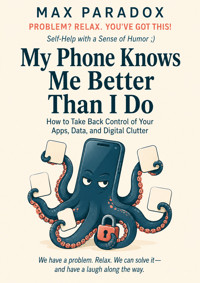
My Phone Knows Me Better Than I Do - How to Take Back Control of Your Apps, Data, and Digital Clutter ebook
Max Paradox
29,99 zł
19,90 zł
Najniższa cena z 30 dni przed obniżką: 29,99 zł
19,90 zł
Najniższa cena z 30 dni przed obniżką: 29,99 zł
Dowiedz się więcej.
- Wydawca: ALL-IN Rafał Płonkowski
- Kategoria: Literatura popularnonaukowa•Nauki ścisłe
- Język: angielski
Your phone knows where you go, what you search, which apps you open, what you buy, who you message, which videos keep you scrolling, and exactly how many screenshots you have saved “for later.”
You, meanwhile, are trying to remember where you parked.
My Phone Knows Me Better Than I Do is a practical, funny guide to taking back control of the device that somehow became your camera, wallet, office, map, entertainment center, filing cabinet, shopping mall, photo archive, and occasional emotional support rectangle.
This is not a book about throwing your smartphone into a lake, deleting every app, or moving into a cabin where Wi-Fi is considered suspicious. It is about making your phone work for you again.
Max Paradox shows you how to:
identify which apps actually deserve space on your phone;
reduce notifications without missing what truly matters;
review permissions without becoming a cybersecurity analyst;
understand the trade between convenience, personalization, and data;
clean up forgotten accounts, duplicate tools, downloads, screenshots, and digital clutter;
create a home screen that supports your intentions instead of your impulses;
organize important files so you can actually find them later;
simplify cloud syncing and backups;
set healthier boundaries around work messages and constant availability;
deal with apps you need but wish you could launch into the sun;
stop solving digital problems by installing even more digital tools;
build a maintenance system that survives busy weeks, travel, updates, and real life.
The advice is concrete, realistic, and designed for normal people who are busy, tired, occasionally chaotic, and not interested in spending four hours optimizing notification architecture.
You will not be told to “just use your phone less.”
You will be shown what to change, where to begin, what to leave alone, and what to do when your beautiful new system gradually turns back into a digital garage.
Because the goal is not a perfectly minimalist phone.
The goal is a phone that is quieter, clearer, easier to manage, more intentional, and much less likely to drag you into a forty-minute investigation of something you never meant to open.
Your phone can still be smart.
It just does not need to be the adult in the relationship.
This publication was prepared with the assistance of tools that support the creative process, including artificial intelligence-based solutions. The final concept, structure, and editing belong to the author.
Ebooka przeczytasz w aplikacjach Legimi lub dowolnej aplikacji obsługującej format:
Liczba stron: 195
Rok wydania: 2026
Podobne




















Max Paradox
My Phone Knows Me Better Than I Do
How to Take Back Control of Your Apps, Data, and Digital Clutter
ALL-IN Rafał Płonkowski
2026
ISBN 9788384830000
INTRO
You unlock your phone to check the weather.
That is the official story.
Fourteen minutes later, you have watched a video of a man restoring a rusty waffle iron, read three comments under a post from someone you do not know, discovered that an app you forgot existed wants permission to track your precise location, and received a notification informing you that your screen time increased by 18 percent last week.
Excellent.
Your phone has conducted the investigation and concluded that the problem is you.
Meanwhile, somewhere inside this small glass rectangle lives a surprisingly detailed version of your life. It knows where you slept last night, what route you took to work, which restaurant you searched for on Tuesday, what time you usually stop scrolling, which shoes you almost bought, which songs you play repeatedly, who you message most often, how many steps you took, what videos kept your attention, and possibly that you spent seventeen minutes comparing vacuum cleaners despite not currently needing a vacuum cleaner.
You may not remember what you had for lunch last Thursday.
Your phone probably does.
This is not automatically sinister. Phones are useful precisely because they remember things, anticipate things, sync things, suggest things, and save us from carrying a paper map, camera, flashlight, calculator, calendar, music player, address book, boarding pass folder, notebook, alarm clock, and the phone number of a local taxi company written on the back of a receipt. We asked technology to make life easier, and in many ways it did.
Then we installed forty-seven apps to help manage the easier life.
That is where things become interesting.
Your phone did not wake up one morning and decide to conquer you. There was no tiny board meeting inside the processor where executives voted unanimously to make you open Instagram while waiting for the microwave. Most digital clutter develops through ordinary decisions that make perfect sense at the time. You install an app because you need it once. You allow notifications because the setup screen makes “Allow” look like the button for reasonable adults. You save a photo because you might need it. You accept location access because the app asks politely. You create an account because apparently buying socks now requires a strategic partnership.
Nothing dramatic happens.
That is the problem.
Digital clutter rarely arrives as one giant disaster. It accumulates quietly. One app. One login. One newsletter. One notification category. One permission. One folder called “Documents.” Then another folder called “Important Documents.” Then, after enough emotional growth, “IMPORTANT DOCUMENTS FINAL.”
Eventually your phone stops feeling like a tool and starts feeling like an apartment you sublet to several hundred tiny companies.
Some of them are very loud.
Open your app list and look at what lives there. There may be software you use daily, software you use monthly, software you downloaded during a highly specific situation in 2022, and software whose purpose is now known only to historians. Perhaps you have an airline app for a carrier you have flown once. A scanner app you installed before realizing your phone already scans documents. Three weather apps because apparently the atmosphere requires a second opinion.
And every one of these apps wants something.
Attention. Data. Storage. Permission. Updates. A subscription. Your email address. Your location. Access to your photos. Permission to send you breaking news about a sale on patio furniture while you are standing in a dentist’s office wondering whether that sound is supposed to happen.
The result is not just a messy home screen. It is a loss of control by a thousand tiny defaults.
That matters because defaults are powerful. Most people do not carefully design their digital environment. They inherit it one popup at a time. An app asks for notifications, and you tap yes. A website asks to remember you, and you agree. Your phone suggests backing up something, syncing something, sharing analytics, enabling personalized recommendations, and generally becoming more involved in your affairs than your aunt at Thanksgiving.
Individually, these choices are small. Together, they create a system.
And that system may know a lot more about you than you consciously decided to share.
Again, there is no need to move into a cabin and start paying for groceries with handmade pottery. This book is not about becoming terrified of technology. Fear is a terrible settings menu. It has only two options: panic and buy a flip phone.
We are going to do something much less dramatic.
We are going to take back control.
That means understanding what is actually on your phone, which permissions matter, which notifications deserve access to your nervous system, what information apps collect, what you can reasonably change, what is not worth obsessing over, and how to reduce digital clutter without spending an entire weekend turning your home screen into a minimalist art installation.
You do not need perfect privacy.
You need better decisions.
You do not need six hours of digital detox followed by a ceremonial deletion of every app created after 2011. You need a phone that serves your actual life instead of constantly inviting you into other people’s priorities. You need fewer unnecessary interruptions, fewer forgotten accounts, fewer pointless permissions, fewer apps sitting in the background like tenants who stopped paying rent months ago.
Most importantly, you need a system simple enough to maintain.
Because this is where many attempts fail.
People become irritated with digital clutter, decide to fix everything at once, and launch Operation New Life. They delete seventeen apps, reorganize every icon, unsubscribe from forty emails, change twelve passwords, review privacy settings, create three folders, install a productivity app to help manage the cleanup, and by hour two they are exhausted.
By hour three, the productivity app has sent its first notification.
The circle of life.
The goal of this book is not to make you technologically pure. There is no prize for having the cleanest phone in the Western Hemisphere. Nobody from Apple is going to arrive at your door holding a certificate because you reduced your home screen to eight icons and a photo of a mountain.
The goal is usefulness.
Your phone should help you communicate, work, navigate, remember, create, relax, organize, and occasionally spend fifteen minutes watching a raccoon steal cat food because life is complicated and raccoons are persuasive.
But the choice should be yours.
Over the next twenty chapters, we will gradually reduce the noise. You will learn how to identify the apps that actually deserve space, separate useful notifications from attention theft, review permissions without becoming a cybersecurity analyst, reduce unnecessary data sharing, clean up accounts and storage, make your home screen less chaotic, and create a few simple rules that prevent the mess from rebuilding itself six weeks later.
We will also deal with the inconvenient parts.
What if you need an app but hate what it collects? What if your work requires constant messaging? What if you keep every photo because deleting one feels like destroying historical evidence? What if you turn off notifications and then become convinced you have missed something important every seven minutes?
There will be Plan Bs.
Because “just use your phone less” is not a plan. It is the digital equivalent of telling someone with a messy garage to “have fewer objects.”
Technically correct.
Practically useless.
By the end, you should not feel afraid of your phone, ashamed of your habits, or inspired to throw the device into a lake. You should understand what deserves your attention, what deserves your data, what deserves storage space, and what deserves immediate removal with the calm efficiency of a nightclub bouncer who has seen enough.
Your phone can still be smart.
It just does not need to be the adult in the relationship.
Wklejony tekst
Chapter 1 - Your Phone Did Not Become This Way by Accident
You pick up your phone because you need one thing.
Maybe you want to check a text. Maybe you need the address of a restaurant. Maybe you are looking for the photo of the parking spot you took because you have reached the age where trusting your memory feels like an unnecessary gamble.
You unlock the screen.
There are six notifications waiting.
One is actually important.
The other five are invitations to stop doing whatever you were doing and enter somebody else’s agenda.
A store wants you to know that socks are 20 percent off. A news app has BREAKING NEWS that will still be news in twenty minutes. A social app informs you that someone you vaguely remember from high school posted for the first time in a while, which apparently constitutes an event of international significance.
Then a game you have not opened since February would like you to collect your daily reward.
You have been rewarded for absolutely nothing.
Congratulations.
The strange part is that none of this feels unusual anymore. We carry devices that interrupt us dozens of times a day, collect information almost continuously, accumulate years of digital debris, and quietly compete for our attention. Yet because the changes happened gradually, we tend to treat the resulting chaos as if it were simply the natural state of a smartphone.
It is not.
Your phone is partly the result of hundreds of decisions you made, but it is also the result of hundreds of decisions made for you.
That distinction matters.
When you install an app, you usually have a goal. Order dinner. Check your bank account. Book a flight. Message someone. Edit a photo. Find a parking space. Watch a show.
The app has a goal too.
Sometimes the goals align perfectly. You want to check your bank balance; the banking app wants you to check your bank balance. Everybody is happy. Civilization survives another afternoon.
But many apps benefit when you stay longer, return more often, share more information, enable more permissions, buy something, subscribe to something, or allow them to contact you whenever they feel lonely.
This does not mean every app is secretly evil.
It means incentives exist.
A weather app can show you tomorrow’s forecast in fifteen seconds. But if its business model benefits from advertising, engagement, data collection, subscriptions, or cross-selling, it may also prefer that you browse videos, read weather stories, enable alerts, view recommendations, and discover that a cold front in Nebraska is apparently relevant to your Tuesday.
You wanted to know whether you need an umbrella.
The app has broader ambitions.
This is one reason phones gradually become noisy. The default experience is not always designed around the smallest amount of interaction necessary to serve you. Often, it is designed to encourage more interaction.
And default settings matter because most people accept them.
Not because they are careless. Because they are trying to get past the setup screen.
Imagine buying a toaster and, before making toast, answering:
Would you like toast notifications?
Allow toaster to know your location?
Allow toaster to track your activity across other kitchen appliances?
Would you like personalized bread recommendations?
The toaster would be on the curb before breakfast.
Phones somehow get away with it.
The first step toward taking control is therefore surprisingly simple: stop treating every current setting as something you consciously chose.
Some you did.
Some you barely noticed.
Some you accepted because the alternative button said “Customize Settings,” and you had already spent seven minutes proving you were not a robot to create an account for a lamp.
Your phone is full of inherited decisions.
The Default Drift
Most digital clutter does not come from one catastrophic mistake. It comes from default drift.
You buy a new phone. You restore everything from your old phone because starting from scratch sounds admirable until you remember that you have passwords, authentication apps, messages, banking software, and approximately the entire administrative infrastructure of your adult life in there.
So everything transfers.
Including apps you forgot you had.
Including apps you forgot why you had.
Including apps whose logos have changed twice since you last opened them.
Then you install more.
A concert requires a ticketing app. A gym has its own app. Your apartment building uses an app. Your airline wants an app. Your supermarket offers discounts through an app. The parking meter has an app because apparently inserting coins into a machine was preventing humanity from reaching its full potential.
Each one is reasonable alone.
Together, they become a small digital municipality.
The same thing happens with permissions.
You allow camera access because an app needs to scan something. You allow location because you are using navigation. You allow photo access because you want to upload one picture. Months later, the original situation is gone, but the permission remains.
The temporary decision became permanent.
This happens because humans are excellent at solving immediate problems and significantly less enthusiastic about auditing the residue afterward.
You rent a moving van.
You do not spend Sunday morning asking whether the moving company still deserves access to your photo library.
That would be an unusual hobby.
This is important because one of the biggest mistakes in digital cleanup is moralizing the mess.
People look at a cluttered phone and think:
I am disorganized.
I have no discipline.
I am addicted to technology.
I need to become one of those people whose phone has one screen, nine apps, and a black wallpaper that seems to imply they own a Japanese tea set.
Maybe.
But more often, your phone is messy because accumulation is easier than removal.
Installing is easy. Signing up is easy. Enabling is easy.
Deleting, reviewing, unsubscribing, and reconsidering happen later.
And “later” has an excellent marketing department.
Attention Is Also a Permission
When people hear “app permissions,” they usually think of technical categories: camera, microphone, contacts, location, photos.
Those matter.
But there is another permission that may affect you every single day:
permission to interrupt.
Notifications are not merely information. They are requests for a slice of your attention.
Sometimes that slice is justified.
A message from your partner: useful.
Your bank warning you about a suspicious charge: definitely useful.
A delivery driver saying they are outside: extremely useful unless you enjoy watching dinner slowly circle the neighborhood.
But “A creator you follow just posted” is not the same type of event.
Neither is “You have memories to look back on.”
I already have memories.
That is why I am trying to get through the afternoon.
The problem is not that notifications exist. The problem is that many phones develop without any meaningful hierarchy between them.
The urgent and the trivial arrive through the same doorway.
Your boss, your mother, your bank, a pizza coupon, a video platform, your calendar, a game, your grocery store, and an app that wants you to practice Spanish all have roughly equal access to your pocket.
The phone lights up.
The brain checks.
That check has a cost.
Even if you do not open the notification, part of your attention briefly shifts. Sometimes you return immediately to what you were doing. Sometimes the notification starts a chain reaction.
You see the message.
You reply.
While replying, you notice another message.
Then you open the app.
Then you check something else.
Nine minutes later, you are reading an argument between strangers about whether an air fryer is technically an oven.
Your original task has filed a missing-person report.
This is why taking back control cannot be only about storage space or deleting apps. A visually clean phone can still be a highly effective interruption machine.
You can have four icons on the home screen and still get seventy notifications.
Minimalism has been defeated by push technology.
The Phone Learns From What You Do
Your phone and apps also become more personalized over time.
Again, this is not automatically bad. Personalization can be genuinely useful. Maps can predict where you are going. Music services can recommend songs you actually like. Shopping apps can remember what you bought. Photo software can group pictures. Keyboards can learn how you type.
The awkward part is that convenience and data collection often live in the same house.
The more a service knows about what you click, watch, search, buy, skip, save, or revisit, the better it may become at predicting what keeps you engaged.
That can feel impressively helpful.
It can also produce moments where you stare at your screen and think:
Why does this thing know I am considering an espresso machine?
Possibly because you searched for espresso machines, watched two videos about coffee grinders, visited three retailer pages, read a review, and then spent eleven minutes comparing countertop dimensions.
Your phone is not psychic.
You have simply been leaving digital breadcrumbs like a very well-documented Hansel.
The practical lesson is not “personalization is evil.”
The lesson is to become conscious of the trade.
When you enable a feature, ask yourself what you are getting and what you are giving.
Sometimes the trade is worth it.
A navigation app knowing your location while you are actively using it is usually central to the service. A flashlight app wanting precise location access is harder to defend unless the flashlight is planning to meet you somewhere.
You do not need to analyze every permission like a federal investigator.
You need to notice when the request and the function do not seem to match.
That simple question catches a lot:
Why does this app need this?
If there is an obvious answer, fine.
If your answer is “I have absolutely no idea,” that is useful information.
Do Not Start by Deleting Everything
At this point, you may feel a familiar urge.
Cleanup fever.
This is the moment when people decide they will fix the entire phone immediately.
They begin deleting apps with the intensity of someone evacuating a building.
Gone.
Gone.
Why do I even have this?
Gone.
Then they accidentally delete something they need for two-factor authentication and spend the next forty minutes proving their identity to a website that still does not believe them.
Momentum declines.
Do not start that way.
Before changing anything major, observe your phone for a day or two.
Not obsessively. You do not need a lab coat.
Just notice three things:
Which apps interrupt you most?
Which apps do you open automatically without deciding to?
Which apps, permissions, or services make you think, “Why is this even here?”
That is enough to begin.
You are looking for friction, not conducting a census.
If your phone repeatedly pulls you away from work, notice what pulls.
If your home screen feels cluttered, notice what you actually use.
If privacy worries you, notice which apps have access to sensitive categories such as location, microphone, contacts, photos, and camera.
Do not fix everything yet.
Identify the loudest problems first.
This matters because digital cleanup works better when you solve real annoyances rather than chase an abstract ideal of a “clean phone.”
Maybe your biggest problem is not app count.
Maybe it is notifications.
Maybe it is photo clutter.
Maybe it is location access.
Maybe it is that every store you have ever entered has obtained your email address and now writes to you like a relative who has recently discovered newsletters.
Your cleanup should reflect your actual problem.
The Ten-Minute Reality Check
Here is your first practical action.
Set a timer for ten minutes.
Open your phone and look through three areas only:
Your main home screen.
Your notification list or notification settings.
Your app list.
Do not organize anything deeply.
Instead, make three mental categories:
Useful and used.
These are apps that clearly earn their place.
Useful but too noisy.
You need them, but they demand more attention than their job requires.
Why is this here?
These are forgotten apps, one-time downloads, duplicate tools, old services, or digital fossils.
If an app falls immediately into the third category and you are certain you do not need it, you can delete it.
But the purpose of this exercise is mainly diagnosis.
You are building your first map.
Because your phone does not need to become perfectly organized.
It needs to become intentional.
The difference is enormous.
A perfectly organized phone can require constant maintenance. An intentional phone can still be imperfect, slightly messy, and entirely functional.
That is what we want.
The goal is not to impress somebody who makes “What’s on My Phone” videos.
The goal is to pick up your device and feel that you are operating it.
Not the other way around.
For today, do the ten-minute reality check and identify your three biggest sources of digital friction.
No full detox.
No dramatic purge.
No farewell ceremony for Candy Crush.
We are gathering evidence first.
Your phone has spent years studying you.
It is only fair that you study it for ten minutes.
Chapter 2 - The App Drawer of Forgotten Dreams
There is probably an app on your phone right now that you downloaded for one very specific reason.
Maybe you needed to scan a document.
Maybe you visited another city and needed public transit directions.
Maybe a restaurant forced you to download something before it would allow you the privilege of ordering noodles.
Maybe you installed a meditation app during a stressful week, used it twice, forgot about it, and are now being reminded by notifications that you have failed to relax.
Very soothing.
Most people do not know exactly how many apps they have.
That is reasonable.
Knowing the precise number would be useful only if you were applying for the position of curator at the Museum of Forgotten Software.
But app accumulation matters because apps are not passive just because their icons are sitting quietly in a drawer. Some take storage. Some run processes in the background. Some hold permissions. Some send notifications. Some remain connected to accounts. Some retain personal information. Some simply make it harder to see what you actually use.
An app can be invisible to you and still exist quite enthusiastically.
So we are going to clean house.
Not with rage.
With criteria.
The Five Kinds of Apps
The easiest way to clean up your phone is not to inspect every app and ask, “Do I love this?”
That is how you end up emotionally negotiating with a coupon app.
Instead, sort apps by function.
Most will fit into one of five categories.
1. Essential apps
Banking, authentication, messaging, maps, calendar, work tools, transportation, health services you actively use, or anything genuinely necessary to your life.
These stay.
They may still need quieter notifications or tighter permissions, but deletion is not the goal.
2. Regularly useful apps
You use them often enough to justify keeping them: music, shopping, photo editing, food delivery, fitness, travel, utilities, streaming.
These probably stay too.
3. Occasionally useful apps
Airline apps, event ticketing, specialized tools, travel services, scanner apps, parking apps, or something you need a few times a year.
These require a little thought.
You may keep them if reinstalling and setting them up would be annoying. Or you may delete them if they are easy to restore later.
4. Duplicates and replacements
Three browsers. Four note apps. Two weather apps. A standalone QR scanner even though your camera handles QR codes. An old app that another service has replaced.
These are excellent cleanup targets.
5. The archaeological layer