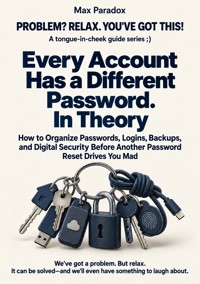
Every Account Has a Different Password. In Theory - How to Organize Passwords, Logins, Backups, and Digital Security Before Another Password Reset Drives You Mad ebook
Max Paradox
29,99 zł
19,90 zł
Najniższa cena z 30 dni przed obniżką: 29,99 zł
19,90 zł
Najniższa cena z 30 dni przed obniżką: 29,99 zł
Dowiedz się więcej.
- Wydawca: ALL-IN Rafał Płonkowski
- Kategoria: Biznes, rozwój, prawo•Biznes, rozwój
- Język: angielski
Every account has a different password. One ends in last year, another has an exclamation mark, and the third is definitely saved somewhere. The reset message goes to an email address you barely remember, which sends its recovery code to a telephone number you no longer own. You wanted to buy one thing. Instead, you have begun an expedition through your digital past.
Every Account Has a Different Password. In Theory is a practical guide to organising the everyday parts of digital security. Max Paradox writes for people who want their accounts, devices, and files to be manageable without turning computer administration into a second profession. The goal is a usable system with fewer mysteries when something goes wrong.
The book begins by looking at how many entrances your digital life contains. Passwords, additional authentication, recovery addresses, old devices, and services that remain permanently signed in all deserve attention. Being logged in today does not necessarily mean you can log in tomorrow. You will consider what needs protecting first, how password management fits together, and how an extra security measure can remain useful rather than becoming another route to being locked out.
Backups receive the same practical treatment. Synchronisation and a backup are not automatically the same thing, and a collection of copied files is more reassuring when you know how to restore them. The chapters explore file organisation, recovery, updates, app permissions, and sharing access without simply passing around the key to everything.
The book also considers the situations that make good intentions difficult to maintain: prompts arriving while you are busy, urgent messages demanding a quick click, a lost phone, an old account nobody remembers, and a security routine so complicated that you quietly stop using it. Instead of assuming unlimited patience, the advice returns to priorities and arrangements that fit ordinary behaviour.
When a problem has already happened, the first need is to reduce confusion and choose an appropriate next step. Later chapters discuss incident response, the limits of perfect protection, manageable maintenance, and closing old accounts before they become forgotten doors. Readers are encouraged to understand their own setup rather than collect impressive terms with no clear purpose.
Written with observational humour, this guide recognises the absurdity of proving to a website that you are the person who forgot the secret you invented four years ago. Yet the practical questions stay concrete. Where is the recovery information? What is actually backed up? Who needs access? What happens if the device you rely on is unavailable?
This is a book for organising personal digital life, not a promise that any system can eliminate every risk. It provides a starting point for making sensible improvements, checking the parts that matter, and keeping the resulting routine understandable. You can begin with the accounts and files you rely on most, then work outward as time allows.
If another password reset has made you wonder whether the internet requires a qualification you missed, start here. You do not have to remember everything. You do need a clearer idea of how the important pieces fit together.
This publication was prepared using tools that support the creative process, including artificial intelligence solutions. The final concept, structure and editing are the responsibility of the author.
Ebooka przeczytasz w aplikacjach Legimi lub dowolnej aplikacji obsługującej format:
Liczba stron: 250
Rok wydania: 2026
Podobne



















Max Paradox
Every Account Has a Different Password. In Theory
How to Organize Passwords, Logins, Backups, and Digital Security Before Another Password Reset Drives You Mad
ALL-IN Rafał Płonkowski
2026
ISBN 9788384832851
Table of contents
Title page
INTRO
Chapter 1 - You Have More Digital Doors Than You Think
Chapter 2 - A Password You Have to Remember Is Not a System
Chapter 3 - The Second Factor Should Not Become the Second Disaster
Chapter 4 - The Weakest Password May Be "Forgot Password"
Chapter 5 - Being Logged In Is Not the Same as Knowing How to Log In
Chapter 6 - Sync Is Not a Backup
Chapter 7 - "Update Later" Eventually Becomes a Problem
Chapter 8 - Not Every App Deserves a Key to Your House
Chapter 9 - The Less Often You Type a Password, the Better
Chapter 10 - Check First, Then Click
Chapter 11 - A Backup Is Only Real If You Can Restore It
Chapter 12 - Your Files Should Not Require a Treasure Map
Chapter 13 - Losing Your Phone Should Not Mean Losing Your Life
Chapter 14 - Do Not Share Everything by Sending the Password
Chapter 15 - If Your Security System Is Unbearable, You Will Eventually Bypass It
Chapter 16 - When Something Goes Wrong, Stop the Chaos First
Chapter 17 - Real Life Will Not Follow Your Security Checklist
Chapter 18 - Fifteen Minutes of Maintenance Beats an Annual Digital Apocalypse
Chapter 19 - Close Old Doors Before You Forget Where They Lead
Chapter 20 - You Need a System, Not a PhD in the Internet
Landmarks
Cover
Title page
Table of contents
Start of content
INTRO
It is 7:41 p.m. You are trying to sign in to a website you have used before. Nothing dramatic. No international wire transfer. No government portal. No secret archive containing the final coordinates of Atlantis. You just want to get into your account, do one small thing, and return to the evening you had planned.
The website asks for your password.
You know the password.
Obviously.
You have been using passwords for years. You are an experienced adult. You have paid taxes, assembled furniture with instructions clearly written by someone who hated furniture, and successfully navigated supermarket self-checkouts that accused you of placing an unexpected item in the bagging area when the unexpected item was, in fact, the bag. A password should not defeat you.
You type one.
Incorrect.
Fine. That was probably the old one.
You type another.
Incorrect.
You add an exclamation mark, because at some point in human history the exclamation mark became the official symbol for "this password is now much more secure."
Incorrect.
You try the version with the year on the end. Then the newer year. Then the year before that, because maybe you changed it in January and your personal password chronology is more complicated than the succession line of a small monarchy.
The website offers help.
Forgot your password?
You have not forgotten your password.
You have forgotten which of your twelve plausible passwords this particular website believes is your password.
That is different.
You click reset.
A message has been sent to your email address.
Excellent.
Which email address?
The partially hidden clue says something like m*7@**.com, which narrows it down to somewhere between your current inbox, an old inbox, a shopping inbox, an account you created for a free trial, and an email address from a previous phase of life when you thought adding your birth year to everything was a perfectly sustainable identity strategy.
You open one inbox.
Nothing.
A second.
Nothing.
A third inbox asks you to sign in.
You stare at it.
It asks for a password.
And there it is: the perfect modern circle.
You need the password to retrieve the password that will allow you to reset the password.
At this point, nobody would blame you for considering a cabin in the woods.
Unfortunately, cabins now have Wi-Fi.
This book is for that moment.
Not because you are bad with technology. Not because you are careless. And certainly not because you should be able to memorize fifty-seven unique strings containing upper-case letters, lower-case letters, numbers, symbols, punctuation, ancient runes, and possibly the exact emotional state you were in when you created the account.
The problem is simpler: digital life grew faster than the systems most people use to manage it.
One account became five. Five became twenty. Then came online banking, cloud storage, shopping, streaming, work tools, travel apps, social media, delivery services, utilities, smart devices, subscription platforms, government services, old accounts, new accounts, and the mysterious website you joined in 2018 because it gave you ten percent off something you no longer remember buying.
Each account looked harmless by itself.
That is how the mess grows.
Nobody sits down on a Saturday morning and announces, "Today I shall construct an unnecessarily fragile digital identity held together by reused passwords, expired phone numbers, forgotten recovery emails, and blind optimism."
It happens one convenient shortcut at a time.
You reuse a password because you are in a hurry.
You save another one in the browser because it offers.
You write one in a note because you will move it somewhere safer later.
Later does not arrive.
A website asks you to add a recovery phone number, so you add the one you have.
Three years later you change the number.
The website does not receive a farewell card.
Meanwhile, your phone quietly becomes your camera, wallet, authenticator, key ring, archive, map, mailbox, photo album, payment tool, and gateway to most of the services you would prefer not to lose access to. Then one day the phone disappears beneath a sofa cushion for six minutes and you experience the emotional journey previously associated with missing persons investigations.
This book is not about turning you into a cybersecurity professional.
You do not need a command center, six monitors, or a black hoodie.
You do not need to understand cryptography deeply enough to become the least invited person at dinner parties.
You need a practical system that survives ordinary life.
A system in which passwords do not depend on your memory performing flawlessly on a tired Tuesday night. A system where losing one device does not mean losing the route back into everything else. A system where "I have a backup" means more than "there is probably a cloud involved." A system where an urgent email about your account does not automatically earn the right to tell you where to click.
The aim is not perfect security.
Perfect security is a wonderful idea if your goal is to never use anything, never share anything, never travel, never connect to a network, and possibly live inside a concrete cube.
Normal people have different requirements.
They have jobs, children, partners, parents, deadlines, dead batteries, old laptops, forgotten subscriptions, shared streaming accounts, messages arriving while dinner is burning, and a very limited appetite for reading twelve pages of account settings before watching television.
So the system has to work under imperfect conditions.
It has to be simple enough that you still use it when you are tired.
It has to have a backup plan that does not live exclusively on the device that just disappeared.
It has to distinguish between what is genuinely important and what merely produces the loudest notification.
And it has to reduce the number of decisions you need to make, because "just stay vigilant at all times" is not a security strategy. It is a job description for a nervous meerkat.
We will deal with passwords, logins, recovery methods, backups, devices, suspicious messages, shared access, old accounts, and the small digital habits that quietly decide whether a problem remains a minor inconvenience or expands into an entire afternoon of recovery forms.
But this will not be a tour of terrifying possibilities.
Fear is a poor maintenance system.
If every chapter leaves you wanting to disconnect the router and bury your phone in the garden, something has gone wrong.
The useful question is not, "How many terrible things could happen?"
The useful question is, "What can I do now so that one ordinary problem stays ordinary?"
That question is much more manageable.
Your phone dies.
Fine. You know how to recover access.
A website is breached.
Fine. That password was unique.
A suspicious message arrives.
Fine. You open the service through your own trusted route.
A laptop fails.
Annoying, but the important files exist somewhere else.
You cannot remember a password.
Excellent.
You were not supposed to.
That last point matters.
For years, forgetting passwords has been treated as a personal failure. The little red message appears on screen and somehow manages to sound disappointed in you.
Incorrect password.
Really?
Again?
We expected better.
But a good digital system should remove as much as possible from memory. Your brain already has responsibilities. It remembers birthdays badly, stores fragments of songs from 1997 with astonishing accuracy, and occasionally walks into a room with no idea why it came there. We do not need to assign it another fifty random secrets.
Your job is not to become better at remembering chaos.
Your job is to stop requiring chaos to be remembered.
If the whole subject already feels exhausting, begin with the minimum version: do not fix everything tonight. Identify one account that would create the biggest problem if you lost access to it. Usually this is something central, such as your main email account or the account controlling your primary device. Ask yourself three questions: do I know how I sign in, do I know how I recover access, and would that recovery still work if my current phone vanished?
If you cannot answer all three, congratulations.
You have found the first useful problem.
No spreadsheet with forty tabs required.
No digital cleanse.
No ceremonial destruction of old passwords at sunset.
And if even that feels like too much, here is Plan B: write down the name of the account and deal with it tomorrow when you have ten quiet minutes. Not "sometime." Tomorrow. One account.
This book will build from there.
Not toward a life where you think constantly about security, but toward the opposite.
A life where most of it quietly works.
Where your backups are boring.
Your passwords are forgettable.
Your recovery options are current.
Your old devices eventually retire instead of remaining honorary members of the household.
And when a website asks whether you have forgotten your password, you can answer without shame:
Absolutely.
That was the plan.
Chapter 1 - You Have More Digital Doors Than You Think
You are standing at a grocery store checkout when your phone buzzes. The payment app has signed you out. Fine. You enter the email address you are almost certain you used when you created the account.
Incorrect login.
You try your other email.
No account found.
You stare at the screen as though the correct address might reveal itself through intimidation. Behind you, someone places a carton of milk on the conveyor belt with the confidence of a person whose entire digital identity is apparently functioning perfectly. You try a third address, an old one you rarely use.
Success.
Excellent.
Now the password.
Less excellent.
You try the obvious candidate. Wrong. You try the slightly older obvious candidate. Wrong. The app offers to reset the password by sending a message to a phone number ending in 82.
Your current number does not end in 82.
You briefly wonder whether you have ever owned a number ending in 82. Your memory produces nothing useful, although it does generously supply the full lyrics to a commercial jingle you heard as a child.
The person behind you has now added bread.
This is how people discover the real shape of their digital lives: not during a carefully planned security review, but while holding a bag of frozen peas and trying to remember who they were in 2021.
The first mistake we make with digital security is assuming the main problem is passwords.
Passwords matter, obviously. But before passwords comes a more basic question: what exactly do you have?
Most people cannot answer that confidently.
They can name the obvious things. Main email. Bank. Social media. Streaming. Maybe cloud storage. Then the list begins expanding.
There is the other email address.
The old phone account.
The account used to manage your laptop.
The photo backup service.
The shopping site with a saved card.
The airline account.
The hotel app.
The food delivery app.
The work collaboration platform.
The utility portal.
The government account.
The old social media profile you technically still own.
The fitness app from the six-week period when you were apparently a different person.
The smart TV.
The doorbell.
The printer, which somehow has an account despite having spent most of its adult life refusing to print.
Individually, none of these feels like infrastructure.
Together, they are.
Your digital life is not a neat row of accounts. It is a web of doors, side doors, emergency exits, spare keys, forgotten windows, and one mysterious hatch nobody remembers installing.
The reason this matters is that accounts are connected.
Your main email may reset your shopping password. Your phone may approve your email login. Your device account may control the phone. Your cloud may contain the backup codes for the account that controls the device that stores the app that confirms the login.
Read that again slowly and admire what civilization has achieved.
When everything works, these connections feel invisible. Your phone recognizes you. Your browser stays signed in. Apps remember sessions. Codes arrive. Password managers fill forms. You tap your face, your fingerprint, or a button, and the digital machinery quietly opens the door.
That convenience creates an illusion.
"I can access it" becomes "I know how access works."
Those are not the same thing.
A person can remain signed into an account for years without knowing the current password, recovery email, authentication method, or even which username was used originally. The account works because yesterday it worked, and yesterday worked because the day before also worked. It is security by historical momentum.
Then you change phones.
Or clear browser data.
Or an app decides it has not seen your password recently enough and would like to renew the relationship.
Suddenly you meet your own system for the first time.
That is why the first useful step is not changing fifty passwords. It is building a map.
Not a giant spreadsheet with seventeen columns, conditional formatting, and a color legend requiring its own user manual. We are not founding the National Archives of Your Login History.
You need a simple account map.
Start with the accounts that can unlock other accounts.
This is the part most people miss. We instinctively rank accounts by how serious they look. Banking seems important. A photo app seems less important. Email feels ordinary because we use it every day.
But a main email account can be one of the most powerful accounts you own precisely because it looks ordinary.
If password reset links for ten other services go to one inbox, that inbox is not just email. It is a key-cutting machine.
Anyone with control of it may be able to request resets elsewhere. That does not automatically mean every connected account can be taken over, because other protections may exist, but it gives the email account a much larger role than its innocent little envelope icon suggests.
The same applies to your main device account. An Apple, Google, Microsoft, or similar account may control backups, synchronization, connected devices, recovery methods, app purchases, and other services depending on the ecosystem you use.
Your mobile number may also be part of account recovery.
Your password manager, if you use one, sits in another central position.
These are what we can call anchor accounts.
They hold up other parts of the structure.
Make a short list of them.
Your list might include:
-
your main email account
-
your primary device ecosystem account
-
your password manager
-
your main cloud storage account
-
your mobile number as a recovery method
-
important financial or work accounts that would cause serious problems if lost
Do not write passwords in this list.
You are mapping relationships, not creating a treasure map for anyone who finds the document.
Beside each anchor account, write three pieces of information: how you normally sign in, how you recover access, and what device or account that recovery depends on.
That is enough to reveal surprisingly large weaknesses.
Suppose your main email uses a password plus an authentication app on your phone. Good. Recovery goes to a second email account. Also good.
Then you check the second email account.
Its recovery goes to your main email.
Interesting.
Your phone account uses your main email.
The authentication app is on your phone.
The backup codes are in a note synchronized through the account on the phone.
You have created a security circle.
Every part is pointing politely at the next part.
This is the digital equivalent of four people standing outside a locked house, each explaining that somebody else has the key.
A circular dependency is not automatically disastrous, but you need to know it exists. A useful recovery system should have at least one route that does not depend entirely on the thing you have lost.
That idea is simple enough to test with what I call the "What if it disappears tomorrow?" question.
Take your phone.
Not literally. Leave it where it is.
Imagine it is gone tomorrow morning.
Not stolen by international criminals. Not dramatically dropped into the ocean from a yacht. It simply stops existing in your life.
Can you access your main email?
Can you access your password manager?
Can you receive or recover your authentication methods?
Can you restore your phone number?
Do you know how to sign into the account that controls your devices?
Now imagine your main email disappears instead.
Can you still recover your device account?
Your cloud?
Your password manager?
Your financial services?
Again, we are not trying to predict every disaster. We are identifying single points of failure.
A single point of failure is simply one thing whose loss causes several other things to fail with it.
It sounds technical because engineers enjoy giving ordinary problems impressive names.
If the only house key is inside the house, that is a single point of failure.
If every password reset goes to one email address and that email has no reliable recovery route, same idea.
If the only backup code exists as a screenshot on the phone the code is supposed to help you replace, congratulations, same idea again, now with photography.
The point is not to eliminate every dependency. That would be unrealistic. Digital systems necessarily connect.
The point is to notice the dependencies that matter.
You can rank accounts in three rough levels.
Level one contains anchor accounts and anything where loss could affect money, identity, major personal data, or access to other services.
Level two contains important accounts you use regularly, including services holding personal information, communication history, saved payment details, work, travel, or family data.
Level three is everything else.
The app you used once to book mini golf does not deserve the same Saturday afternoon as your main email.
This is not disrespect toward mini golf.
It is prioritization.
The classification also prevents a very common form of productive procrastination: fixing the easiest thing instead of the most important thing.
You sit down intending to secure your digital life.
You find an old shopping account.
"Ah, I should delete that."
Then you notice three newsletters.
You unsubscribe.
Then you decide to clean your inbox.
Two hours later you have removed promotional emails from 2019, reorganized a folder called Receipts, and done absolutely nothing about the email account capable of resetting half your passwords.
You worked very hard.
The problem is impressed but unharmed.
Use consequences, not irritation, to decide what comes first.
Ask: if I lose this account, what else becomes difficult?
That question changes everything.
A streaming account might annoy you for an evening. Your main inbox might affect twenty other services. An old shopping profile may contain an address and saved payment method, but a password manager contains access credentials across your digital life.
Different consequences.
Different attention.
While mapping, note accounts that use external sign-in such as "Continue with Google," "Sign in with Apple," or another identity provider.
This matters because people often try to reset passwords that were never created.
You reach a service, type your email, and the password fails.
You request a reset.
Nothing arrives.
You try another email.
Still nothing.
You begin reconstructing the last four years of your life.
"Was I using my work email then? I had the blue phone. No, the blue phone came later. Maybe this was during the kitchen renovation."
Twenty minutes later you notice a button:
Continue with Google.
Click.
You are in.
You have spent twenty minutes trying to remember a secret that never existed.
Add the sign-in method to your map.
"Google login."
"Apple login."
"Separate username."
"Email and password."
One short note can save future-you from performing archaeological research on yourself.
Your map can also expose abandoned accounts. Do not delete them immediately just because they look old.
First ask what they are connected to.
An old email may still receive recovery messages.
A social account may be used as a sign-in provider elsewhere.
An old cloud account may contain files you forgot.
A dormant service may still hold useful purchase records, licenses, or documents.
Deleting first and investigating later is the digital equivalent of throwing away a key and then walking around the house asking what it opened.
Decide first.
Delete second.
There is another important category that rarely appears on people's mental maps: devices.
A device can be part of access even if you do not consciously think of it as an account.
Your phone may be trusted by several services.
Your tablet may remain signed in.
An old laptop may hold active sessions.
A browser profile may contain saved credentials.
A television may be logged into services used by the whole family.
You do not need to inventory every charger in the building, but list the devices that currently hold important access.
This will become especially useful when one leaves your life.
People are very good at onboarding devices.
New phone!
New laptop!
Lovely screen!
Look how quickly everything migrated!
We are much worse at retirement.
The old phone goes in a drawer and receives an honorary lifetime appointment to the household infrastructure.
Three years later nobody knows whether it still contains email, authentication apps, photos, or an active session to the cloud.
Your account map gives devices a role instead of allowing them to become electronic folklore.
The same principle applies to family access.
If another person uses one of your accounts, note that fact. If a partner has access to a shared cloud, if children use a family subscription, if a relative depends on you to manage something important, that relationship belongs on the map.
Not because you are preparing a legal dossier.
Because access that involves humans has a tendency to outlive the original arrangement.
Projects end.
People move.
Devices change hands.
Relationships change.
The system should eventually change too.
For now, we are only making it visible.
The minimum version of this chapter takes ten minutes.
Write down five things: your main email, device account, password manager if you have one, main cloud account, and mobile number. Beside each, note the normal sign-in method and the recovery method. Then ask one question: if my phone disappeared tomorrow, which of these would I struggle to access?
That answer gives you your next priority.
Plan B is for anyone who begins mapping and discovers a digital empire.
Do not finish the empire.
Stop at the five most important accounts.
Seriously.
Do not allow an old pizza-delivery login to hold your project hostage just because you suddenly remembered it exists.
Security improves when important things become clear, not when every forgotten account from the last fifteen years has been catalogued with museum-quality precision.
Your goal is not complete knowledge of your entire internet history.
Your goal is to know where the important doors are.
Which ones open other doors.
Which keys depend on the same device.
Which emergency exits are real.
Once you see that, passwords become easier to fix because you are no longer changing random locks.
You know which doors protect the building.
Chapter 2 - A Password You Have to Remember Is Not a System
At 8:57 on Monday morning, you open a work service you use constantly. You have a meeting at nine. The screen displays a sentence nobody has ever read with joy:
Your password has expired.
Excellent timing.
The system asks for your current password. You enter it.
Now choose a new password.
At least twelve characters.
One uppercase letter.
One lowercase letter.
One number.
One symbol.
Must not contain your name.
Must not resemble your previous password.
Must not contain any of the last ten passwords.
You create something.
Rejected.
Too similar.
You create something else.
Rejected.
Contains a common word.
You stare at the box.
It stares back with the confidence of a machine that has no meeting at nine.
Finally, you create a password that appears to have been generated during a keyboard accident involving a cat and a financial calculator.
Accepted.
Wonderful.
The meeting starts.
Three weeks later the system asks you to sign in again.
You type the old password.
Of course you do.
Password advice has historically suffered from one major design flaw: it assumes the human being is a password storage device.
"Use a unique password for every account."
Good advice.
"Make each one strong."
Also good.
"Never write them down carelessly."
Still sensible.
"And remember them all."
There we encounter a small operational issue.
A modern person can easily have dozens of accounts. Some people have far more. Expecting a person to create and accurately remember a unique, unpredictable credential for every service is not a serious long-term plan.
So people adapt.
One password everywhere.
One password with small variations.
A family of passwords based on years.
A favorite phrase plus the name of the website.
A memorable word with a capital letter and an exclamation mark, because apparently punctuation has been carrying the security industry on its back for years.
These strategies are understandable.
They are also exactly what we want to move away from.
The biggest problem with password reuse is not that the password itself must be terrible.
It could be excellent.
Long.
Complicated.
Beautiful in a cold, cryptographic way.
If you use the same secret on many services, one compromised service can create risk elsewhere.
Imagine you have one very good physical key that opens your house, office, car, storage unit, and safe.
The key itself is excellent.
Premium metal.
Strong teeth.
Possibly Italian.
The problem is not the craftsmanship.
The problem is that one lost copy now matters everywhere.
The same principle applies to predictable variations.
Suppose the password for one service is something like:
RiverCoffee27!
And another is:
RiverCoffee28!
And another:
RiverCoffee29!
Technically different.
Spiritually one password wearing different hats.
People create these patterns because remembering structure is easier than remembering randomness. That is a perfectly reasonable response to an unreasonable task.
But a predictable pattern means knowledge of one password can provide clues about another.
The answer is not becoming more creative.
It is removing most password creation from your job description.
That is where a password manager becomes useful.
At its simplest, a password manager stores credentials in a protected vault so you can use unique passwords without memorizing every one. Many can also generate long random passwords, fill them into websites and apps, and synchronize them across your authorized devices, depending on the product and configuration.
The practical shift is important.
Old model:
"I must remember the password for this website."
Better model:
"I must securely access the system that stores the password for this website."
That moves the problem from dozens of memory tasks to one central access system.
This does create concentration. Your password manager matters a lot.
That is not a reason to avoid it. It is a reason to secure it properly.
Your main password for the manager should be unique. Do not reuse it anywhere else. If your password manager supports additional authentication that fits your needs, use it. Understand the recovery options before you need them.
And choose a main password or passphrase you can realistically reproduce.
There is no prize for creating something so hostile to human memory that your own password defeats you before anyone else gets a chance.
People sometimes react to security advice by trying to outsmart the universe.
They create:
h8!Qz%71#Lp@4X
Then admire it.
Nobody will guess that.
Correct.
Including you.
The goal is not maximum visual ugliness. Length, uniqueness, unpredictability, and the way a system stores and protects the credential matter more than whether a password looks like your keyboard sneezed.
For a main password you need to remember, a long passphrase built from unrelated words can be easier to retain while remaining much less predictable than a short password based on personal information. Do not copy examples from books or websites. An example printed for millions of people is, by definition, a terrible private secret.
The point is the method.
Create something long and unique that has no obvious connection to your name, birthday, pet, address, favorite football club, or the fact that you always add 123 because websites keep demanding numbers.
Avoid personal facts that can be discovered easily.
Your first dog's name may feel secret because the dog did not have LinkedIn.
Unfortunately, the dog may have appeared in twelve years of social media photos under captions including the dog's name.