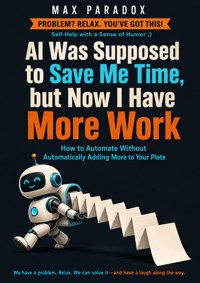
AI Was Supposed to Save Me Time, but Now I Have More Work - How to Automate Without Automatically Adding More to Your Plate ebook
Max Paradox
29,99 zł
19,90 zł
Najniższa cena z 30 dni przed obniżką: 29,99 zł
19,90 zł
Najniższa cena z 30 dni przed obniżką: 29,99 zł
Dowiedz się więcej.
- Wydawca: ALL-IN Rafał Płonkowski
- Kategoria: Biznes, rozwój, prawo•Biznes, rozwój
- Język: angielski
AI was supposed to save you time.
So why are you now maintaining prompts, checking summaries, fixing automations, testing new tools, reviewing generated drafts, reading AI digests, and attending meetings about dashboards created by systems designed to reduce meetings?
Technology did not necessarily fail.
You may simply have used every minute it saved to create more work.
AI Was Supposed to Save Me Time, but Now I Have More Work: How to Automate Without Automatically Adding More to Your Plate is a practical, funny guide to using artificial intelligence and automation without accidentally turning yourself into the unpaid manager of a small software department.
Max Paradox takes on one of the strangest productivity problems of the AI era: the tools are getting faster, but your workload somehow keeps growing.
Inside, you will learn how to:
identify which tasks are actually worth automating;
calculate whether an automation saves real time after setup, review, and maintenance;
stop automating tasks that should simply be deleted;
find the repetitive core inside messy work;
avoid tool sprawl and subscription overload;
build small workflows that do one useful thing well;
prevent AI from creating too many drafts, options, reports, and decisions;
design clear review points and safe manual fallbacks;
automate handoffs, routine preparation, and information movement without outsourcing important judgment;
recognize when a once-useful workflow has quietly become another job;
protect the time automation saves instead of immediately filling it with more obligations.
This is not a book about building the most advanced AI system possible. It is about reducing low-value effort.
No guru rituals. No demand that you wake at 4:30 a.m. and optimize your breakfast. No assumption that every repetitive click needs an autonomous agent with a dramatic name.
Instead, you will get practical rules, minimum viable solutions, realistic examples, Plan B options, and a large number of uncomfortable moments when you realize you have spent two hours automating a task that took twelve minutes.
Because the real measure of successful automation is not how futuristic your workflow looks.
It is what no longer requires your time.
If AI makes you faster but you simply increase your workload until you are exhausted again, nothing meaningful has improved. This book will show you how to keep the benefit.
Automate less.
Automate better.
And occasionally accept the shocking possibility that finishing early is allowed.
This publication was prepared with the assistance of tools that support the creative process, including artificial intelligence-based solutions. The final concept, structure, and editing belong to the author.
Ebooka przeczytasz w aplikacjach Legimi lub dowolnej aplikacji obsługującej format:
Liczba stron: 210
Rok wydania: 2026
Podobne




















Max Paradox
AI Was Supposed to Save Me Time, but Now I Have More Work
How to Automate Without Automatically Adding More to Your Plate
ALL-IN Rafał Płonkowski
2026
ISBN 9788384830574
INTRO
At 8:07 on Monday morning, you sit down with coffee and a beautiful thought: today, AI is going to save you time. You have finally entered the future. No more repetitive nonsense. No more copying information from one place to another like a highly educated carrier pigeon. You open your laptop, launch three AI tools, two automation platforms, a note-taking app, your calendar, your email, and a browser tab titled “17 AI Workflows That Will Give You Your Life Back.”
By 10:42, you have not done any actual work.
You have, however, created an automated system that summarizes emails you were previously capable of reading.
This is progress.
At some point, AI was supposed to become the assistant who quietly removed boring tasks from your day. Instead, for many people, it became a very enthusiastic intern who arrives with seventeen suggestions, creates four new documents, asks whether you want a dashboard, and somehow leaves you responsible for supervising all of it.
The original plan sounded wonderfully simple. AI would write the first draft. Automation would move information between apps. Meetings would be summarized. Reports would build themselves. Your inbox would become civilized. You would finish work earlier, close the laptop, and perhaps remember that you own a sofa for purposes other than answering messages on it.
Then something strange happened.
You saved twenty minutes writing a report, so you started producing three reports instead of one. You automated a weekly update, so somebody decided it could now be daily. You discovered AI could generate ten ideas in thirty seconds, which meant you suddenly had ten ideas requiring evaluation, editing, organizing, scheduling, and possibly a meeting called “Next Steps on AI-Generated Ideas.”
Technology removed the bottleneck.
Naturally, we responded by building a six-lane highway into the next bottleneck.
This is one of the least discussed problems with automation: saving time does not automatically create free time. It creates capacity. And capacity, especially at work, has an extraordinary ability to attract new work the way an unattended plate at a barbecue attracts relatives.
You finish something faster. Great. What happens next?
Do you stop?
Of course not. You are a responsible adult with Wi-Fi.
You think, “Since that only took fifteen minutes, I could also improve the template.” Then you improve the template. While improving the template, you discover a tool that can automatically populate it. You connect the tool. The connection fails. You watch a tutorial. The tutorial recommends another tool. You create an account. It wants access to your Google Drive, calendar, email, contacts, childhood photographs, and perhaps the spare key to your apartment.
Three hours later, the template is magnificent.
The original task used to take thirty minutes.
There is a special kind of efficiency in spending an entire afternoon ensuring you will never again waste thirty minutes.
The problem is not that AI and automation do not work. They often work extremely well. That is precisely why this problem is sneaky. A bad tool is easy to abandon. A useful tool is much more dangerous because it keeps whispering, “Imagine what else we could automate.”
And you can imagine quite a lot.
Soon you are not merely using AI to do work. You are maintaining the system that does the work. You have prompts to update, integrations to repair, outputs to review, folders to organize, automations to monitor, subscriptions to justify, and new features to investigate because somewhere on the internet a man with excellent lighting has announced that your current workflow is “completely obsolete.”
It was created on Thursday.
By Saturday, apparently, civilization had moved on.
There is another trap. When producing something becomes easier, our standards and ambitions tend to expand. If a presentation once took four hours, twelve slides felt reasonable. If AI helps you create a draft in forty minutes, suddenly twenty-eight slides seem possible. You add alternative versions. You improve the wording. You create a summary. Then an executive summary of the summary, because executives are apparently an endangered species who can survive only on increasingly concentrated information.
The time savings disappear, but the output grows.
This happens outside work too. AI can plan your vacation, compare hotels, build an itinerary, recommend restaurants, estimate costs, create packing lists, and suggest “hidden gems.” Wonderful. You wanted a three-day weekend. You now possess a fourteen-page operational document containing backup brunch locations and a contingency plan for light rain.
At this point, the vacation needs a project manager.
None of this means you should stop using AI, return to fax machines, and proudly calculate everything with a pencil. The goal of this book is not technological nostalgia. I do not want you standing in an office holding a stapler and whispering, “At least this never asked me to upgrade to Pro.”
The goal is simpler: use automation to remove work, not to manufacture more of it.
That sounds obvious until you notice how often we do the opposite. We automate low-value tasks that did not need doing in the first place. We build systems for tasks we perform twice a month. We spend hours perfecting workflows that save minutes. We keep every minute we save permanently available for reinvestment into more activity. And because AI can generate possibilities almost instantly, we confuse more options with more progress.
More is very easy now.
Useful is still difficult.
This book will help you separate the two. You will learn how to decide what is actually worth automating, when manual work is faster, how to measure whether a system saves real time rather than theoretical time, and how to stop “improving” a workflow after it is already good enough. We will also deal with the part nobody puts in the exciting demo video: maintenance, reviewing AI output, tool sprawl, automation failures, and the strange modern hobby of paying twelve monthly subscriptions to avoid performing seven minutes of admin.
Most importantly, we will deal with capacity.
If AI saves you an hour, that hour needs a job before somebody else gives it one.
Maybe its job is deeper work. Maybe it is finishing earlier. Maybe it is handling something important that has been postponed for three months. Maybe it is simply breathing like a mammal instead of immediately asking, “What else can I optimize?”
Saving time is not enough.
You have to protect the saved time from yourself.
Because the biggest risk is not that AI will suddenly take over your entire workload. The immediate risk is much less cinematic: AI does twenty percent of your work, and you celebrate by increasing your workload forty percent.
No robots marching through the streets.
Just you at 9:18 p.m., editing an automation that was designed to improve work-life balance.
The good news is that this is fixable. You do not need a more advanced system. In fact, you may need fewer systems, fewer automations, fewer outputs, and a much stricter definition of what “saving time” actually means. The smartest workflow is not the one with the most arrows connecting colorful boxes. It is the one that quietly makes a task disappear and then has the decency not to replace it with three new ones.
That is where we are going.
AI can save you time.
We just need to stop spending the savings before they reach your account.
Chapter 1 - You Didn’t Save Time. You Created Capacity.
At 9:15 a.m., you finish a task that normally takes an hour.
Today it took twelve minutes.
This should be a small miracle. You should close the document, look toward the horizon, and feel the warm breeze of technological progress gently moving through your hair.
Instead, you think:
“I could probably do the other four now.”
And there goes the miracle.
This is the first idea we need to get straight: when technology helps you complete something faster, you have not automatically created free time. You have created unused capacity. What happens to that capacity next determines whether automation improves your life or merely allows you to become tired at a higher speed.
Imagine your workload as a suitcase. For years, the suitcase has been full. Then AI comes along and compresses your sweaters by twenty percent.
Excellent.
Most of us respond by adding shoes.
Then another sweater.
Then a small appliance we absolutely do not need on vacation.
Soon the suitcase is full again, except now we are congratulating ourselves on packing efficiency while sitting on the lid trying to close it.
The same thing happens at work. A task gets faster, so expectations rise. You can prepare reports more quickly, so someone asks for more frequent reports. You can answer emails faster, so you answer more emails. You can create presentations faster, so presentations get longer. You can generate ideas instantly, so you generate more ideas than any human being could reasonably evaluate before retirement.
The productivity gain is real.
The relief is optional.
That distinction matters because most people measure automation incorrectly. They ask:
“Did this make the task faster?”
That is useful, but incomplete.
The better question is:
“Did this reduce the total amount of work in my life?”
Those are not the same thing.
Suppose you used to spend sixty minutes preparing a weekly update. With AI, you get it down to twenty minutes. Very good. You have theoretically saved forty minutes.
But then you spend ten minutes reviewing the AI output, ten minutes fixing strange wording, five minutes correcting a number it confidently placed in the wrong section, and fifteen minutes improving the prompt because you believe future generations deserve better.
You saved zero minutes.
Worse, you might decide the system is now efficient enough to produce two additional versions: one for management and one for “stakeholders,” a mysterious group that appears whenever documents need multiplying.
Congratulations.
You automated yourself into a larger workload.
The easiest way to understand this is to separate task efficiency from life efficiency.
Task efficiency asks whether a specific activity became faster.
Life efficiency asks whether the total burden became smaller.
AI is extremely good at improving task efficiency. It can accelerate writing, research, formatting, summarizing, brainstorming, analysis, scheduling, coding, translation, and dozens of other things. But your life does not automatically become lighter simply because individual pieces move faster.
A dishwasher saves time compared with washing every plate by hand.
Nobody responds by eating six dinners.
Yet with digital work, we often behave exactly like this.
We save ten minutes and immediately use them to create three additional tasks because empty time makes us nervous. A free half hour looks suspicious. Surely something belongs there. Maybe we should reorganize the project tracker. Maybe we should build a better dashboard. Maybe we should research a new AI tool that promises to save another half hour tomorrow.
Eventually you need an AI assistant to manage the AI tools that were supposed to manage the work.
This is how productivity becomes a franchise.
The Invisible Rule: Saved Time Must Be Reinvested
A lot of modern work culture quietly assumes that any efficiency gain belongs to the workload.
If you used to produce five units of something and technology lets you produce eight, the natural organizational question is rarely:
“What will you do with the extra time?”
It is usually:
“Could we get ten?”
This is not always unreasonable. Businesses exist to produce results. If a tool makes a useful process faster, producing more may be exactly the right decision.
The problem begins when every efficiency gain becomes permission to increase volume.
More reports.
More messages.
More analysis.
More versions.
More meetings because we now have more data to discuss.
More data because the meetings revealed we need better tracking.
The machine is now eating its own tail while somebody creates a dashboard to monitor tail consumption.
You can fall into the same trap without anyone asking you to. In fact, many people do it enthusiastically. We have internalized the idea that saved time should immediately be converted into more output.
You finish early and think, “What else can I get done?”
That sentence sounds responsible.
Sometimes it is.
Sometimes it is the entire problem.
If every minute you save is instantly reassigned, then automation can never reduce your workload. It can only increase your throughput.
You become a faster factory.
Factories rarely get Friday afternoon off because the conveyor belt had a good morning.
Your Personal Productivity Inflation
There is another mechanism working against you: once something becomes easier, your definition of “enough” changes.
Before AI, you might write one decent draft.
Now you can create five.
You might compare three hotels.
Now you compare twenty-two, build a spreadsheet, ask AI to rank them by beach quality, breakfast reputation, room renovation date, airport transfer time, and “overall vibe,” then become suspicious because Hotel Seven won by 0.3 points.
You originally wanted somewhere with a pool.
Increased capability creates increased ambition.
This is not automatically bad. Sometimes better tools should allow better work. A designer should use improved software to design better things. A researcher should use better search tools to explore more evidence. A manager may use automation to spend less time compiling numbers and more time making decisions.
The question is whether the extra work creates enough value to justify consuming the time you supposedly saved.
Often it does not.
You saved thirty minutes writing.
Then spent forty-five minutes choosing between six AI-generated versions of the same paragraph.
The paragraph would like to apologize.
The Capacity Test
From now on, whenever an automation saves you time, run a simple test.
Ask four questions:
What task became faster?
How much total time did I actually save after reviewing, fixing, and maintaining the system?
What happened to the saved time?
Did the amount of work I am responsible for decrease, stay the same, or increase?
The third question is the important one.
If you saved forty minutes and used twenty of them on something genuinely valuable while keeping twenty free, good. You have converted automation into both better work and actual relief.
If you saved forty minutes and created sixty minutes of new obligations, you have not saved time.
You have taken out a productivity loan.
The interest rate is annoying.
Give Saved Time a Destination
The simplest practical solution is to decide where the time goes before you automate.
Let us say you want to automate a weekly report.
Do not merely decide:
“I want this to be faster.”
Decide:
“If this saves me forty minutes, twenty minutes will go to reviewing the important numbers and twenty minutes will remain unallocated.”
That last part will feel strangely illegal.
Unallocated?
During work?
Should we inform the authorities?
But unallocated capacity is useful. It absorbs unexpected work. It lets you finish without rushing. It creates room for thinking. It allows you to answer the urgent request that appears at 3:47 p.m. without destroying your evening.
If you automatically fill every gap, you remove all slack from the system.
Then the first surprise ruins the day.
A calendar with no breathing room is not efficient. It is a game of Tetris where every block is marked “urgent.”
Use a Time-Savings Budget
Here is a practical rule that works surprisingly well:
When automation produces a meaningful time saving, do not automatically reinvest more than half of it.
If you save sixty minutes, you may choose to use thirty minutes for additional valuable work. Keep the rest as recovered capacity unless there is a good reason not to.
This is not a law of physics. You are allowed to use different percentages. The point is to prevent every efficiency gain from disappearing instantly.
Think of it like receiving a raise.
If your income rises by $500 and your spending rises by $600, the raise has somehow made you poorer.
People do this with time constantly.
They earn thirty minutes and spend forty-five.
What Not to Do
Do not celebrate automation by expanding the task immediately.
If AI helps you produce a report faster, keep producing the same report for a few cycles. Measure the real savings. Only then decide whether additional output is genuinely useful.
Do not use the first successful automation as evidence that everything nearby should also be automated.
One smart thermostat does not mean your toaster needs a software strategy.
And do not compare yourself with theoretical maximum productivity. The fact that you could generate fifty social posts, analyze fourteen competitors, create six presentations, and summarize every email does not mean you should.
Capability is not obligation.
Your blender can run at full power.
You do not leave it on all afternoon to honor its potential.
The Minimum Version
If this chapter already feels like something else you now need to “implement,” use the smallest possible version.
For the next automation you create, write down one sentence:
If this saves me time, I will not automatically replace all of that time with more work.
That is it.
No spreadsheet.
No dashboard.
No color-coded tracking system.
You are specifically forbidden from spending two hours building a system to monitor how much time your time-saving systems save.
I know what you were thinking.
Plan B: When You Cannot Keep the Time
Sometimes you do not control what happens to the saved capacity. Your employer may expect more output. Your business may genuinely need the extra volume. Your family may not applaud when you announce that the dishwasher saved twenty minutes and therefore nobody may speak to you until 7:20.
Fine.
Then use a different goal.
Instead of trying to protect the time itself, protect the complexity level.
If automation means you must produce more, do not also add more formats, more tools, more review stages, and more customization.
You may have to create five reports instead of three.
That does not mean each report needs its own automated ecosystem, philosophical framework, and custom icon.
Keep the production system simple.
Efficiency should absorb work before it creates architecture.
Your Action
Choose one thing you currently use AI or automation for.
Estimate how long it used to take.
Then calculate the full current cost: prompting, reviewing, correcting, organizing, troubleshooting, and maintaining.
Finally, ask:
What actually happened to the time I saved?
Do not judge the answer. Just notice it.
If the answer is, “I filled it with more work,” you have found the first leak.
AI may be saving you time perfectly well.
You just keep spending it before you get to enjoy any of it.
Chapter 2 - The Work Behind the Work
You decide to automate a simple task.
The task takes fifteen minutes every Friday.
You find a tool that can automate it. Excellent.
First, you create an account. Then you connect the app. Then you authorize access. Then you build a workflow. Then you test it. The test fails because one field has the wrong format. You fix it. The second test succeeds, except it puts the customer’s surname where the invoice number should be, which is technically information transfer but not the kind you were aiming for.
You fix that too.
The workflow finally works.
You have spent two hours and seventeen minutes eliminating a fifteen-minute task.
The internet calls this scalability.
This chapter is about the hidden work surrounding automation—the work we conveniently forget to count because it does not look like the original task.
Automation has setup costs.
It has review costs.
It has maintenance costs.
It has failure costs.
It has learning costs.
And sometimes it has emotional costs, particularly when an app says “Something went wrong” after you have spent ninety minutes doing everything exactly right.
Thank you, app.
Very actionable.
Automation Is Never Just the Button
When people imagine automation, they picture the finished state.
Click.
Done.
What they often ignore is everything needed to reach and maintain that state.
Suppose you use AI to prepare meeting summaries. The obvious comparison is:
Manual notes: 30 minutes.
AI summary: 5 minutes.
Fantastic. Twenty-five minutes saved.
Except the real workflow may look like this:
You record or transcribe the meeting. You upload the transcript. You wait. You generate the summary. You review it. You discover that AI has transformed “Mark will investigate the pricing issue” into “Pricing approved by Mark,” which would be an exciting development for everyone except Mark. You fix it. You remove three generic paragraphs explaining that “the team discussed key priorities.” You send the final version.
Total time: seventeen minutes.
Still a saving.
But not twenty-five minutes.
Eight.
This matters because bad calculations lead to bad decisions. If you believe an automation saves twenty-five minutes, you may spend three hours building it and think you will recover the investment quickly.
If it actually saves eight minutes, the math changes.
Especially if the meeting happens once a month.
At that rate, your glorious automation may break even shortly after your retirement party.
The Four Costs Nobody Puts in the Demo
Whenever you consider automation, count four categories.
1. Setup
This includes choosing the tool, learning it, configuring it, writing prompts, creating rules, connecting systems, testing, fixing initial errors, and convincing the security settings that yes, you really are yourself.
Setup can be tiny.
It can also consume an afternoon while you repeatedly receive six-digit verification codes and begin to question your relationship with technology.
2. Operation
Even automated systems often require some action.
You may still need to upload a file, start a workflow, approve an output, select a template, or move something to the correct place.
This is usually quick, but “quick” repeated often becomes real time.
3. Review
This is the cost most people underestimate with AI.
Generated output usually needs checking. Sometimes lightly. Sometimes carefully.
The amount of review depends on the task and the consequences of an error. A draft for your own notes may need almost none. A customer-facing proposal, financial report, legal document, or important business analysis requires far more attention.
AI can accelerate creation.
It does not automatically transfer responsibility.
If your name is on the document, “the chatbot seemed confident” is not a strong quality-control process.
4. Maintenance
Tools change.
APIs change.
Permissions expire.
Fields get renamed.
Companies redesign interfaces because apparently everyone was becoming dangerously comfortable.
A system that worked in March may need repair in June. The more automations you create, the more little pieces of infrastructure you own.
This is how people accidentally become the unpaid IT department of their own productivity system.
Calculate the Break-Even Point
Here is one of the most useful questions in the entire book:
How many times must this automation run before it has paid back the time I spent creating it?
Suppose a manual task takes twenty minutes.
Your automated version takes five minutes including review.
You save fifteen minutes per use.
Building the automation took three hours.
Three hours equals 180 minutes.
180 divided by 15 equals 12.
The automation must run twelve times before you have actually saved one minute overall.
If the task happens daily, excellent. You recover the investment quickly.
If it happens quarterly, you will break even in three years.
By then the software may have rebranded twice, tripled its price, and launched an AI assistant whose main purpose is explaining the previous AI assistant.
This does not mean rare tasks should never be automated. Maybe the task is unpleasant, error-prone, stressful, or strategically important. Time is not the only factor.
But you should know the math.
Otherwise automation becomes a hobby disguised as efficiency.
The Automation Tax
Every automated process creates a small ongoing tax.
Maybe it is thirty seconds.
Maybe five minutes.
Maybe almost nothing.
But the tax exists.
You need to know where the workflow lives. You need to remember what triggers it. You need to notice when it fails. You need to update it when conditions change. You need to answer questions from people who do not understand why the system sent a reminder to someone who left the company nine months ago.
One automation is easy.
Twenty-seven automations are an ecosystem.
Ecosystems require management.
This is why some people reach a point where their productivity system has become a second job. They have automations that update databases, databases that trigger messages, messages that create tasks, tasks that update dashboards, and dashboards that remind them they are behind.
Very advanced.
Still behind.
Automate Repetition, Not Fantasy
A common mistake is automating a task before you understand it.
You do something twice and think:
“This should be automated.”
Maybe.
Or maybe you still do not know what the process actually is.
Good automation usually comes after repetition. You perform a task enough times to see the stable pattern. You know which parts repeat, which parts require judgment, and where errors happen.
Only then do you automate the boring, predictable section.
If the process changes every time, automation can become more complicated than the work itself.
Imagine ordering lunch.
If you eat the same meal from the same place every Tuesday, automation makes sense.
If every Tuesday you spend fifteen minutes deciding whether you want sushi, tacos, salad, noodles, or “something light but satisfying,” automation cannot save you because the problem is not the ordering.