Uzyskaj dostęp do tej i ponad 240000 książek od 14,99 zł miesięcznie
- Wydawca: epubli
- Kategoria: Literatura popularnonaukowa•Nauki ścisłe
- Język: angielski
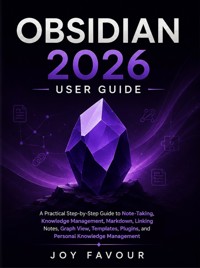
Want to take better notes, organize your ideas, connect information, and build a personal knowledge system that actually works? Obsidian 2026 User Guide provides a practical, step-by-step introduction to using Obsidian for note-taking, knowledge management, research, learning, productivity, and personal organization. Whether you are completely new to Obsidian or want to improve the way you manage your existing vault, this guide walks you through the essential features and techniques you need to create an organized and connected digital knowledge base. Inside this guide, you will discover how to: Get started with Obsidian and understand its core concepts Create, organize, edit, and manage notes effectively Use Markdown to format notes quickly and efficiently Create links between notes and build a connected knowledge system Organize information using folders, tags, properties, and metadata Understand and use Obsidian's Graph View Create reusable templates for faster note-taking Discover and work with plugins to extend Obsidian's capabilities Build a practical personal knowledge management system Organize research, projects, ideas, tasks, and reference materials Improve your productivity through structured note-taking Develop a system for connecting and retrieving information efficiently Designed with practical learners in mind, this guide focuses on clear explanations and useful workflows rather than unnecessary complexity. Whether you are a student, writer, researcher, professional, content creator, or simply someone who wants a better way to organize knowledge, Obsidian 2026 User Guide can help you turn scattered notes and ideas into a structured, searchable, and interconnected knowledge system. Start building your Obsidian vault and transform the way you capture, organize, connect, and use information.
Ebooka przeczytasz w aplikacjach Legimi na:
Liczba stron: 82
Rok wydania: 2026
Odsłuch ebooka (TTS) dostepny w abonamencie „ebooki+audiobooki bez limitu” w aplikacjach Legimi na: